Best Free AI Humanizer for Writing Essays
You used ChatGPT to get past the blank page, then Turnitin or GPTZero flagged it higher than expected. Here's why AI writing has a statistical fingerprint detectors are built to catch, and how to humanize your essay in seconds while keeping your argument and citations fully intact.

Sijan Regmi
Co-Founder, Ninja Humanizer
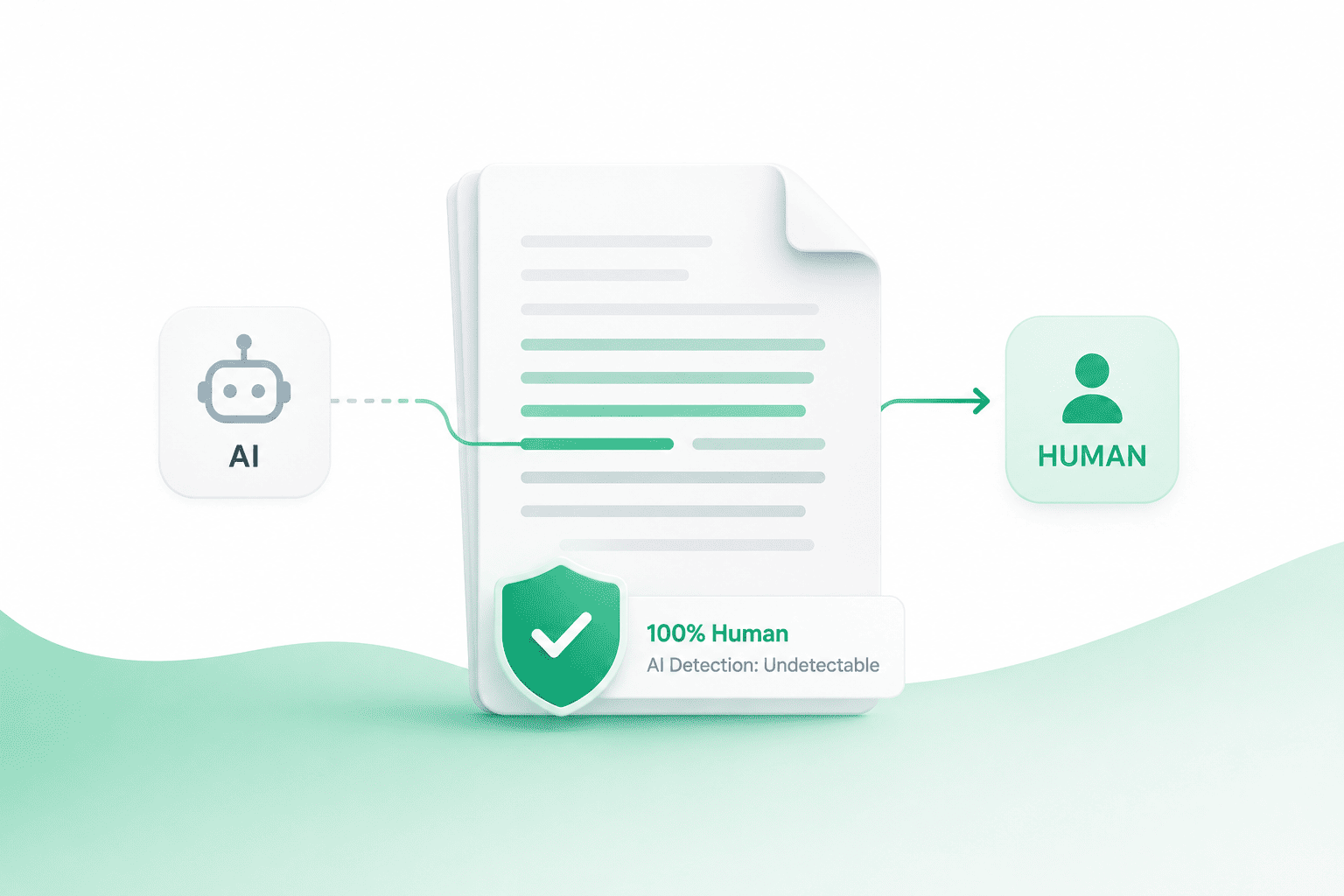
You used ChatGPT to get past the blank page. Maybe it helped you outline an argument, draft a section you were stuck on, or clean up a paragraph that wasn't landing. Then you pasted it into Turnitin or ran it through GPTZero before submitting, and the score came back higher than you expected. Now you're staring at a percentage that could cost you a grade, or worse, trigger an academic integrity conversation you never wanted to have.
This happens to a lot of students, and it happens for a predictable reason. AI writing has a fingerprint. Even good AI writing. It favors certain sentence lengths, certain transition words, certain phrasing patterns that repeat across thousands of essays because the underlying model is generating text the same statistical way every time. Detectors are built to spot exactly that fingerprint, and they're getting better at it every semester.
The fix isn't to stop using AI tools entirely. For most students that's not realistic, and honestly it's not necessary. The fix is to humanize what you write before you submit it, so the final essay reads the way you actually think and talk, not the way a language model defaults to writing. That's what an AI humanizer does, and with Ninja Humanizer it takes seconds, not hours of manual rewriting.
Why Essays Get Flagged in the First Place
Detection tools like Turnitin, GPTZero, Copyleaks, and Originality.ai don't read your essay for meaning. They analyze patterns. Specifically, most of them lean on two signals: perplexity and burstiness.
Perplexity measures how predictable your word choices are. AI models tend to pick the statistically "safest" next word most of the time, which makes their output smoother but also more uniform than human writing. Burstiness measures how much your sentence length varies. Humans naturally write short punchy sentences next to long winding ones. AI models tend to average things out, producing paragraphs where every sentence is roughly the same length and rhythm.
Put those two things together and you get writing that's technically correct, reads fine on the surface, and still sets off alarm bells the moment it hits a detector. We break this down in more depth in our guide on how AI detectors actually work, including the specific signals each major tool weighs differently.
There's also a fairness problem worth knowing about. Independent research has found that these detectors misfire more often on writing from non-native English speakers, whose sentence structures can look statistically "flatter" in ways that mimic AI output even when every word was typed by a human. We covered this in detail in our breakdown of GPTZero's actual accuracy, including a Stanford study that found dramatically higher false positive rates for ESL writers. If you're an international student, this matters even more, because you could get flagged for writing that's entirely your own.
What Actually Happens When Your Essay Gets Flagged
A flagged score isn't automatically an accusation, but it doesn't feel that way in the moment. Depending on your school's policy, an AI detection flag can mean anything from a quiet note in your file to a formal meeting with an academic integrity office. Some professors treat detector scores as evidence. Others know the tools are unreliable and use the score only as a prompt to look closer at your writing themselves.
Either way, you don't want to be explaining a false positive after the fact. It's a stressful, time consuming conversation, and it puts you in a defensive position even when you didn't do anything wrong. We wrote a full guide on understanding Turnitin's AI detection without panicking if you want to see exactly what the score means and how much margin of error is baked into it.
The better move is to make sure your essay simply doesn't read like AI output before you ever submit it. That's a prevention problem, not a damage control problem, and it's solvable in the time it takes to paste your draft into a tool.
What an AI Humanizer Actually Does to Your Essay
A lot of students assume "humanizing" text just means swapping a few words for synonyms. That's what basic paraphrasing tools do, and it's exactly why they don't work well against modern detectors. Changing "utilize" to "use" doesn't change the underlying sentence rhythm that gave the essay away in the first place. We go deeper into this distinction in AI humanizer vs paraphraser: what's the real difference, but the short version is that paraphrasing edits words while humanization edits structure.
Ninja Humanizer works at the structural level. It analyzes the perplexity and burstiness of your draft, identifies the sentences that read as too uniform or too predictable, and rewrites them with the kind of natural variation a human writer produces without thinking about it. Some sentences get shorter. Others get restructured entirely. Transitions that sound like they came out of a template get replaced with phrasing that sounds like you actually thought it through.
Just as important, it preserves what matters in an academic essay. Your argument stays your argument. Your citations stay intact. Your data, your quotes, your thesis, none of that gets altered or diluted. Only the delivery changes, so the essay reads like a polished draft from a student who edited their own AI-assisted writing carefully, which is functionally what happened.
How to Humanize Your Essay in Seconds
The process is built to be fast enough that you can run it right before a deadline without adding friction to your workflow.
Step one: paste your draft. Open the humanizer tool and paste in the section of your essay you drafted with ChatGPT, Claude, or Gemini. You don't need to clean it up first. The tool handles raw AI output directly.
Step two: pick your tone. This is where a lot of general purpose humanizers fall short for academic work. Ninja Humanizer includes an Academic tone setting specifically, alongside Standard, Professional, Blog, and Casual. Academic tone keeps your vocabulary appropriately formal and preserves the structure expected in essays and research papers, instead of accidentally making your writing sound conversational or casual.
Step three: hit humanize. The rewrite happens in seconds, even for long sections. You can process a full essay of a thousand words or more in one pass instead of feeding it in paragraph by paragraph.
Step four: check the score, then review. Once the rewrite is done, you can run it through our built-in AI detector to see how it scores before you commit to it. Read through the output yourself too. It should sound like you, not like a stranger wrote it for you. Since your ideas, arguments, and citations are untouched, this review step usually takes a few minutes rather than a full editing pass.
That's the entire workflow. No downloads, no complicated settings, no manual sentence-by-sentence rewriting.
Why This Matters More for Students Specifically Than for Any Other Group
Marketers and content teams use AI humanizers to protect SEO rankings and brand voice, which we cover in why marketers use AI humanizers for blog writing. Students face a different kind of stakes. A flagged blog post costs you traffic. A flagged essay can cost you a grade, a course, or in serious cases your academic standing.
That's why citation preservation matters so much for this use case. If you're writing a research paper with a dozen properly formatted sources, the last thing you want is a rewriting tool that mangles your quotes or drops your in-text citations while it's restructuring sentences. Ninja Humanizer is built to leave citations, direct quotes, and technical terminology untouched, because those are the parts of an academic essay you genuinely cannot afford to lose.
It's also worth saying plainly that humanizing your essay isn't about hiding plagiarism or submitting work that isn't yours. The ideas, the argument, the research, all of that has to be genuinely yours regardless of what tool you use. What a humanizer does is make sure the way those ideas are expressed doesn't accidentally get flagged by a statistical pattern-matcher that has no idea whether you actually understand your own paper. If you used AI as a drafting assistant the way you might use a study group or a writing center, cleaning up the output so it reads naturally is a reasonable last step, not a shortcut around doing the work.
For a broader comparison of tools built specifically with students in mind, we put together the best AI humanizer for students in 2026, covering what actually matters when you're choosing one under deadline pressure.
Common Mistakes Students Make When Cleaning Up AI Drafts
The biggest mistake is treating the AI draft as the finished product and only fixing it after a bad detector score comes back. By then you're rewriting under pressure, possibly close to a deadline, and that's when errors slip in. Run your draft through a humanizer as a normal step in your writing process, the same way you'd run spell check, not as emergency damage control.
The second mistake is not reading the humanized output before submitting. Even the best rewrite deserves a pass from your own eyes to confirm it still sounds like your voice and still makes the argument you intended. This is quick, but skipping it is how small factual errors or awkward phrasing slip through.
The third mistake is assuming every sentence needs humanizing equally. If you wrote a paragraph yourself, from your own head, with no AI involved, that paragraph doesn't need to go through the tool at all. Reserve humanization for the parts where AI actually helped draft the language. This keeps your essay closer to your real voice overall, since only the AI-assisted sections get restructured.
If you're curious about the underlying tells that give robotic writing away in the first place, our guide on 10 ways to make ChatGPT sound human and our list of 15 signs a piece of writing was created by AI both walk through the specific patterns to watch for, whether you're editing by hand or letting the tool do it automatically.
Working Directly Inside Google Docs
If you're drafting your essay in Google Docs, which most students are, you don't have to keep switching tabs to copy and paste sections back and forth. The Ninja Humanizer browser extension lets you highlight any block of text directly inside Docs, Gmail, or even inside ChatGPT itself, and humanize it in place with a right click. It's a small workflow change that saves a meaningful amount of time if you're working through a long paper section by section.
Is It Actually Free?
Yes. Every visitor gets free credits with no signup required, and creating a free account unlocks a few more on top of that. For a single essay or a short paper, that's often enough to get the whole thing through. If you're working on something longer, like a thesis or a dissertation with multiple chapters, paid plans built around higher word limits and unlimited AI detection checks make more sense, since they let you keep testing sections as you write rather than saving all your checks for the final draft.
You can also check our FAQ page for specifics on word limits, supported languages, and which AI models the tool works with. Short answer on that last one: ChatGPT, Claude, Gemini, and Copilot output all humanize the same way, since the tool is analyzing the text itself rather than trying to identify which model wrote it.
Humanizing vs. Manually Rewriting Every Sentence Yourself
Some students try to solve this problem the hard way, going sentence by sentence through their AI-assisted draft and manually varying the length and phrasing themselves. It works, technically, but it's slow, and it's easy to miss the exact patterns a detector is actually scoring. You might rewrite a sentence to sound more natural to your own ear while leaving the underlying rhythm just as uniform as before, because you're not analyzing perplexity and burstiness the way the detection software is.
There's also the simple math of time. A five page essay might have forty or fifty sentences that need real restructuring, not just a synonym swap. Doing that by hand, well, can easily eat an hour or more, especially the night before a deadline when you're already tired from writing the thing in the first place. Running the same draft through Ninja Humanizer takes seconds and applies the same structural logic consistently across the entire piece, not just the paragraphs you happened to have energy left to fix.
That doesn't mean manual editing has no place. If you have time and want full control over your final draft, reading through the humanized output and adjusting a phrase here or there to sound even more like you is a good final step. The tool gets you most of the way there instantly. You spend your remaining time polishing instead of rebuilding sentences from scratch.
A Few More Things Students Ask
Will this work for a full dissertation or thesis chapter, not just a short essay? Yes. The tool handles long-form academic writing the same way it handles a short essay, and the Academic tone setting is built with formal, citation-heavy writing in mind. For very long documents, the pricing plans with higher word limits make more sense than running everything through free credits in small batches.
Does it work if my professor uses more than one detector? It's built to hold up across the major tools schools actually use, including Turnitin, GPTZero, Copyleaks, Originality.ai, and ZeroGPT. Since each detector weighs perplexity and burstiness slightly differently, running your humanized draft through our AI detector before submitting gives you a quick sanity check across the board.
What if I wrote most of the essay myself and only used AI for one paragraph? Just paste that one paragraph in. There's no requirement to run your whole document through the tool. Humanizing only the AI-assisted section keeps the rest of your essay exactly as you originally wrote it.
The Bottom Line
Using AI to help draft an essay isn't going away, and it isn't inherently dishonest when the ideas and the work are actually yours. The problem is that raw AI output has a statistical fingerprint that detectors are specifically built to catch, and that fingerprint has nothing to do with whether you understand your own paper. It's just a pattern in the words.
Humanizing your essay closes that gap. It takes the structure that gives AI writing away and rewrites it with the natural variation real human writing has, while leaving your arguments, your research, and your citations exactly as you wrote them. With Ninja Humanizer, that process takes seconds instead of an hour of manual line editing before a deadline you're already cutting close.
Paste your draft into the free AI humanizer, pick the Academic tone, and see how it reads. You'll have a version that sounds like you wrote every word, because in every way that matters, you did.

